PricingCase Study
Log in
AOX Product

DESIGNFROM SKETCH TO SHAPE.

Turn a drawing into a 3D model, or watch the air move around a profile as you draw it.

Get started
2 TOOLS

Start from a drawing.

Two ways to begin before any CAD exists. Both run on cloud GPUs and start from your own sketch.
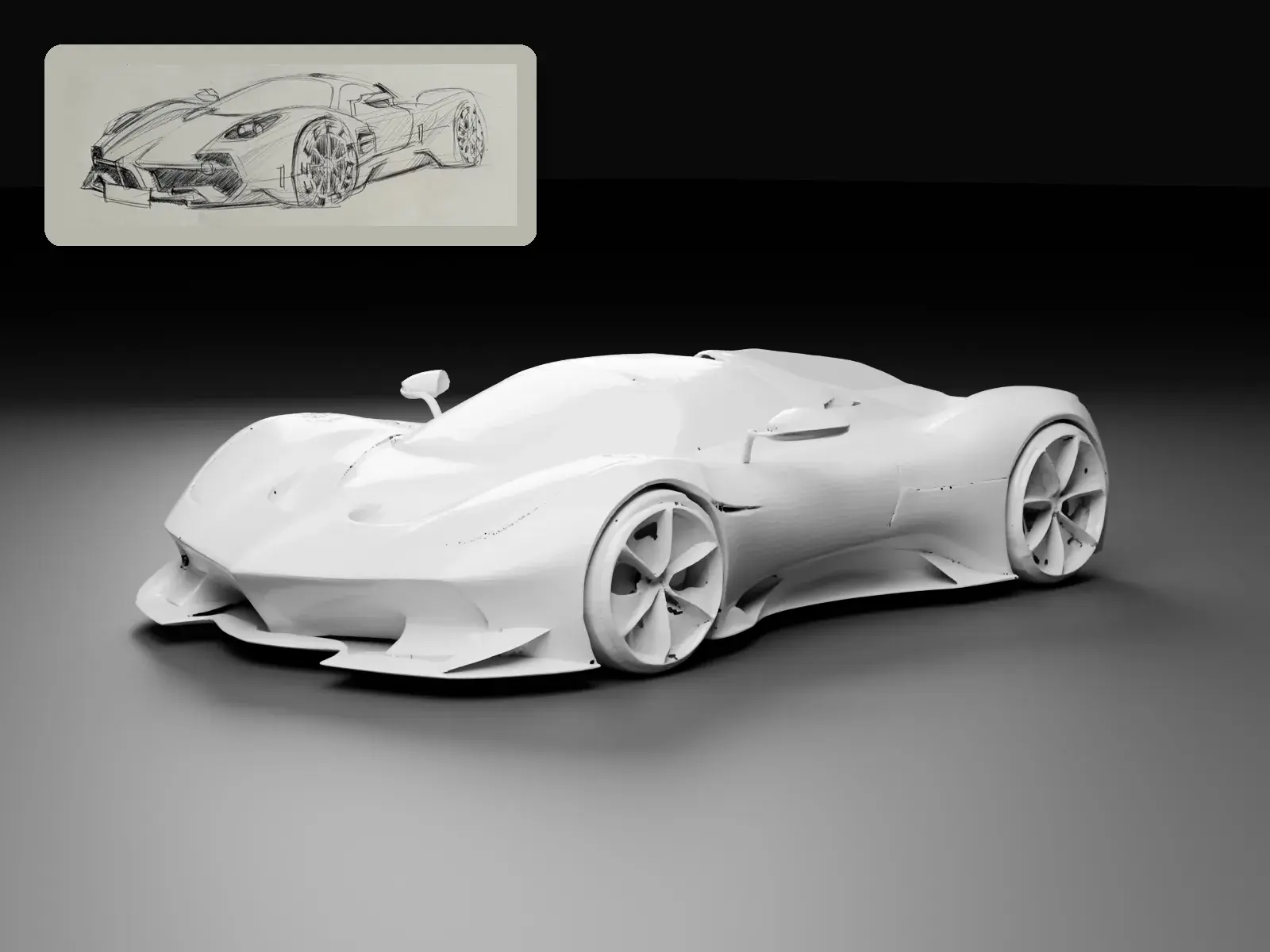
  • A pencil sketch of a hypercar beside the 3D model AOX generated from it, rendered in clay
    Preview01

    Sketch to 3D

    Turn one drawing into a 3D model.

    Draw on the pad or upload a single image. A cloud GPU turns it into a 3D model you can inspect and download.

    • Draw on a 4:3 pad or upload a PNG, JPEG, or WebP up to 8 MB
    • CFD model for a closed mesh, or Reality model for visual detail
    • Download the model, an STL, and the preview, with faces, dimensions, and frontal area
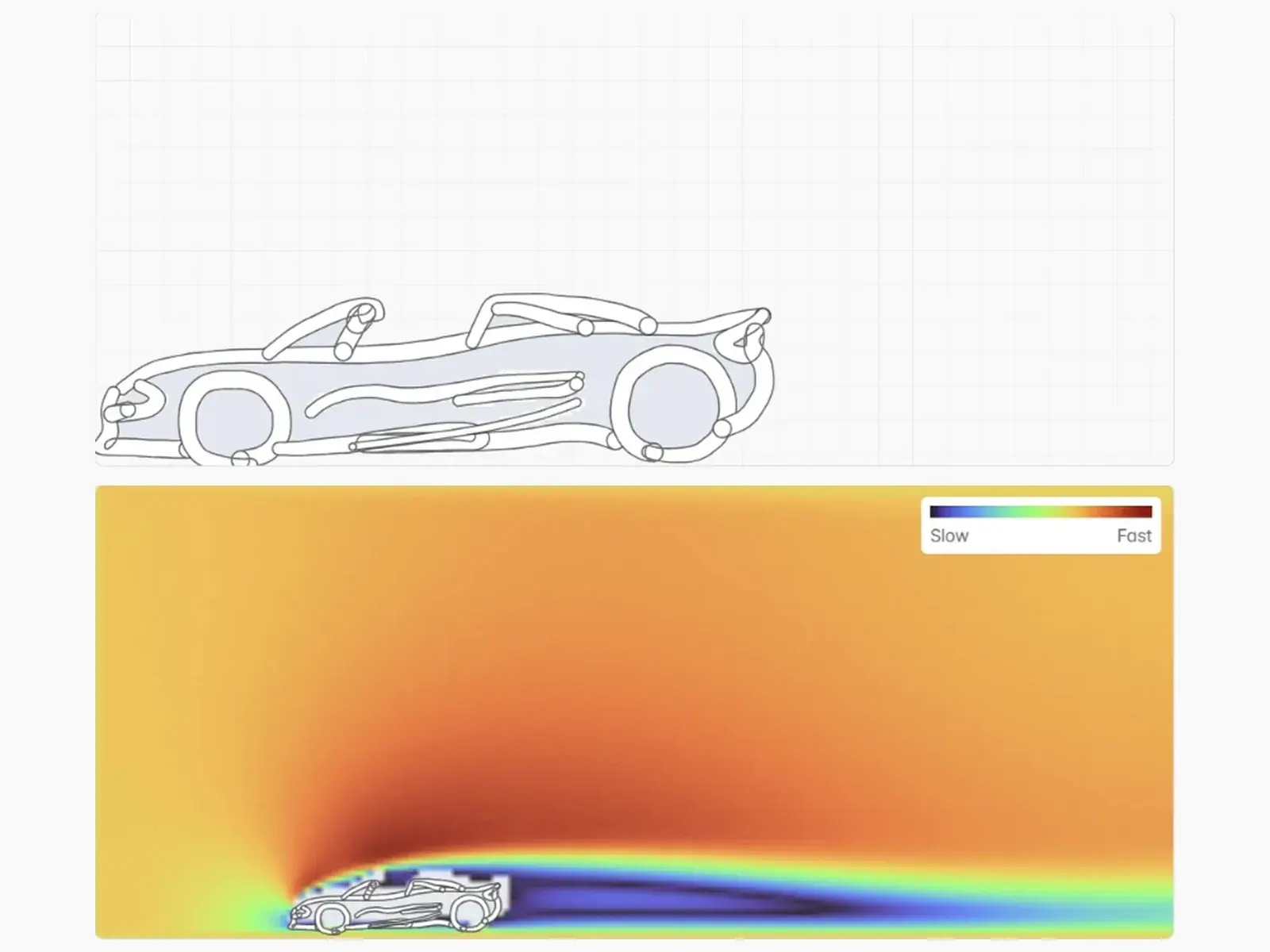
  • A car side profile drawn on the Sketch & Flow board, above the 2D flow field computed around it, coloured from slow to fast
    Preview02

    Sketch & Flow

    See the air move as you draw.

    Sketch a car side profile on a gridded board. Every edit starts a 2D flow run on a GPU, and the airflow streams back into a wind tunnel view.

    • Live velocity field from slow to fast
    • Replay any finished run from the runs list
    • Loft the profile into a 3D body in the browser and download it as STL
SKETCH TO 3D

One drawing in. A 3D model out.

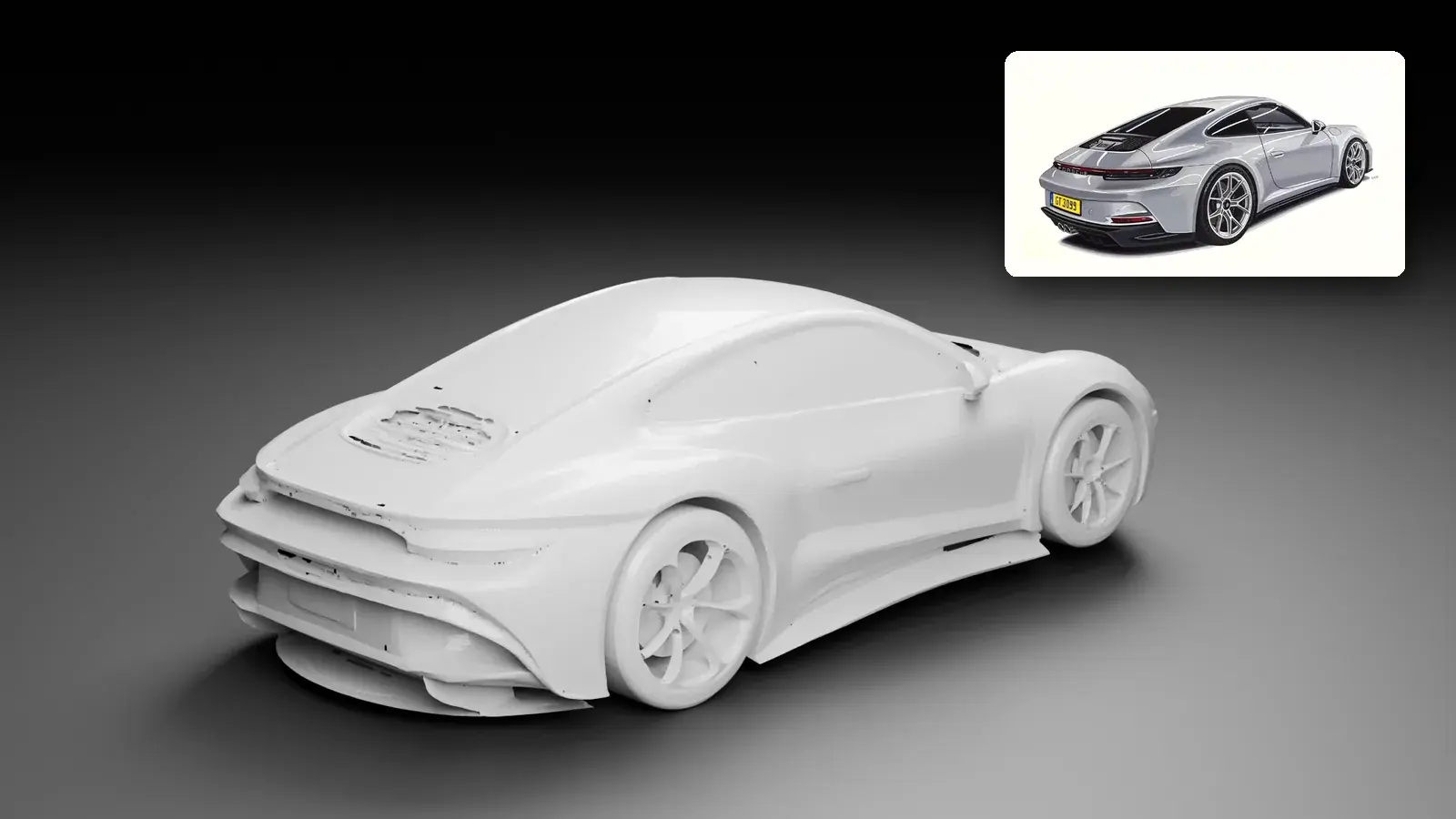
Each model below came from the single drawing pinned beside it. Shown in clay, the shape is the model itself, ready to turn, measure, and download.
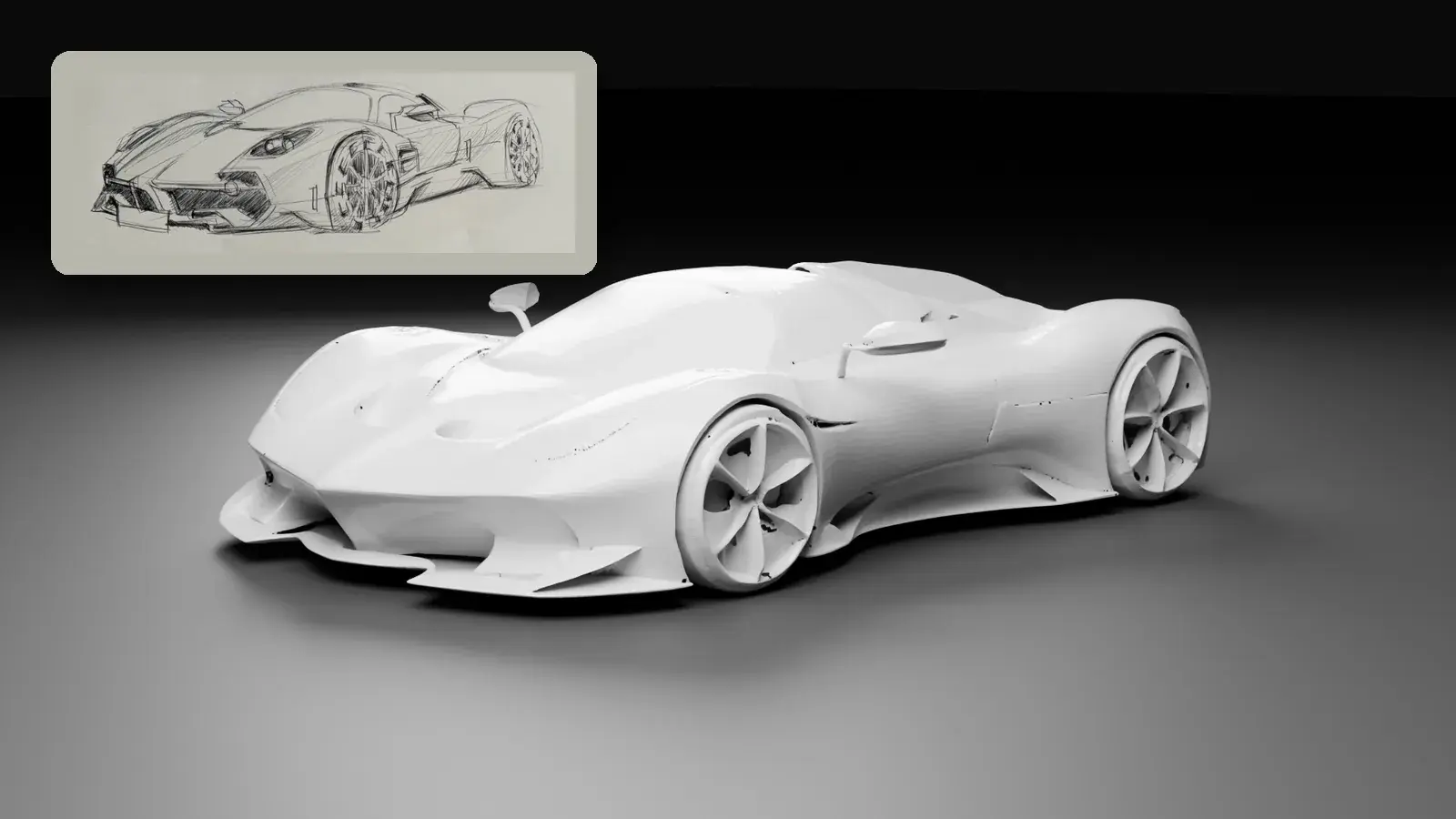
A pencil sketch of a hypercar and the 3D model generated from it, seen from the same front three-quarter angle
A quick pencil sketch, and the hypercar model built from it.
A coloured drawing of a sports coupe from behind and the 3D model generated from it, seen from the same rear three-quarter angle
A finished rendering, and the coupe model built from it.
MORE IN AOX

Keep exploring.

  • Optimization

    CFD analysis and shape optimization

  • Geometry

    Clean, convert, align, and lighten models

  • Lab

    Simulators and experiments

LET YOUR NEXT DESIGN TAKE SHAPE

Your next design.
Your move.

Get started

Product

OptimizationDesignGeometryLab

Resources

Case StudyBoard

Service policies

AOX

Aero for everyone.

Phone+82-31-338-1151
Emailsupport@aoxlabs.com
ADRO Inc. · Representative: Seunghyun Yoon · Business Registration No. 827-87-01633
100-29, Songju-ro 236beon-gil, Yangji-myeon, Cheoin-gu, Yongin-si, Gyeonggi-do 17159, Republic of Korea
Copyright © 2026 ADRO Inc. All rights reserved.
AOX

Aero for everyone.

ADRO